DoggyGuard by KalisPro
Darmowy bot DiscordFree Discord bot

Twój serwer wie o streamie, zanim ktoś zapyta, o którejYour server knows about the stream before anyone asks what time

DoggyGuard ogłasza start streama z Twitcha, TikToka i Kicka, prowadzi plan tygodnia, podsumowuje streamy i wyłapuje darmowe gry. Wszystko ustawiasz komendami na Discordzie albo w panelu na stronie.DoggyGuard announces your streams from Twitch, TikTok and Kick, runs your weekly schedule, sums up your streams and spots free games. You set it all up with commands in Discord or in the web dashboard.

  • Twitch
  • TikTok
  • Kick
  • po polsku i angielskuPolish and English

Wszystko, czego potrzebuje serwer streameraEverything a streamer's server needs

Jeden bot zamiast kilku. Każdą funkcję włączasz osobno i ustawiasz dla swojego serwera.One bot instead of several. You turn each feature on separately and set it up for your own server.

Powiadomienia LIVE z grafikąLive alerts with a graphic

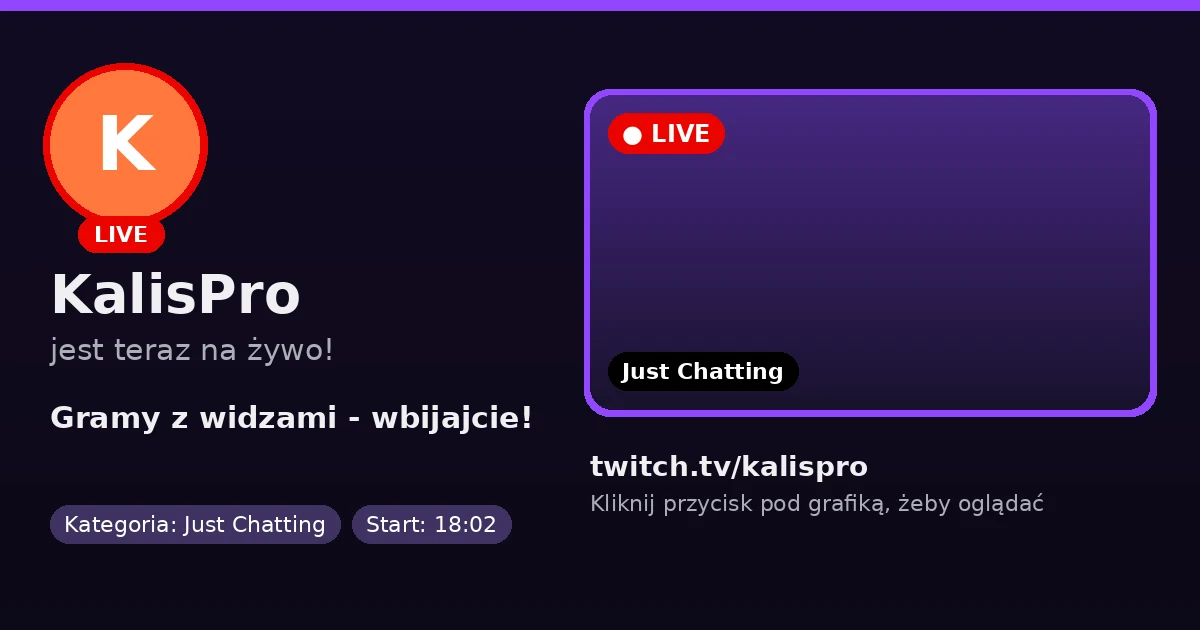
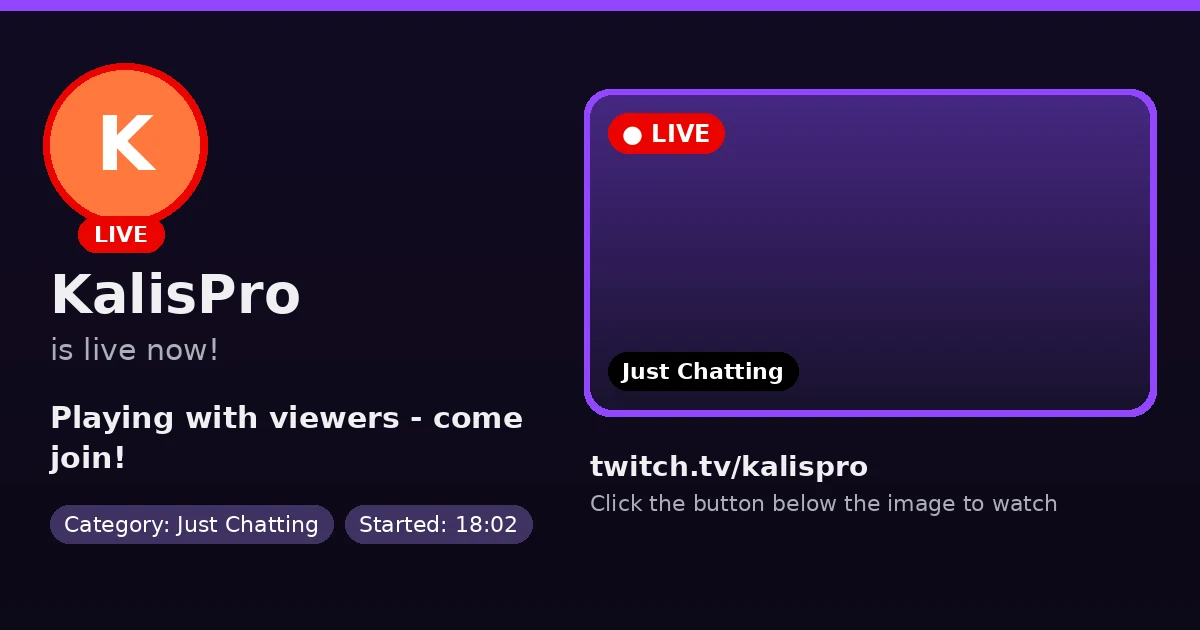
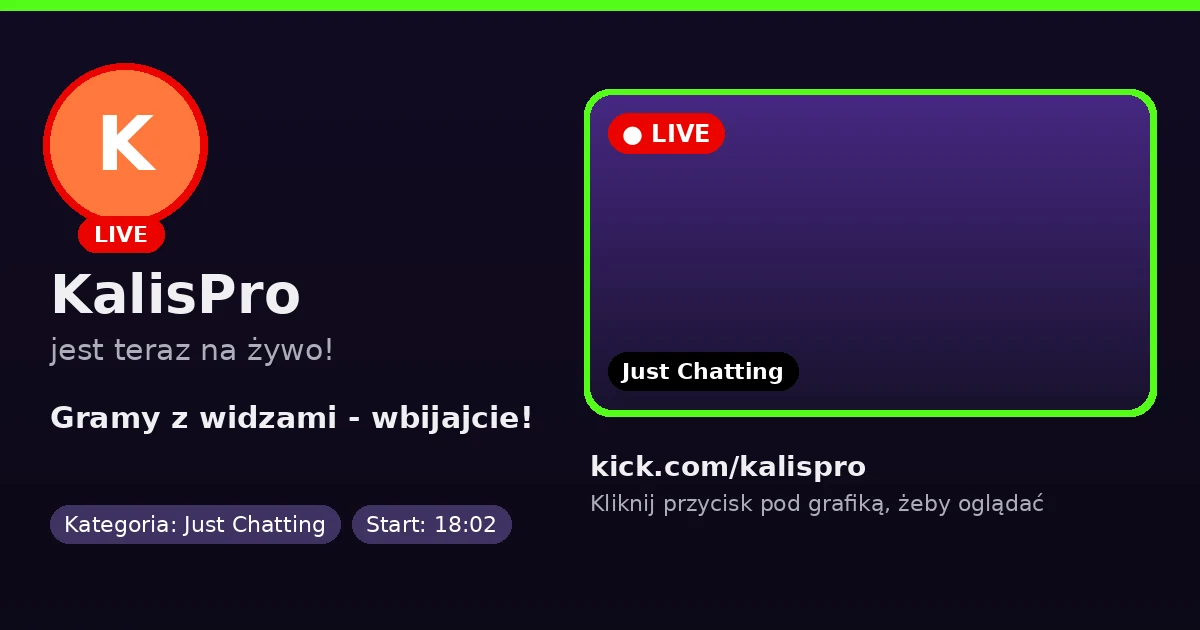
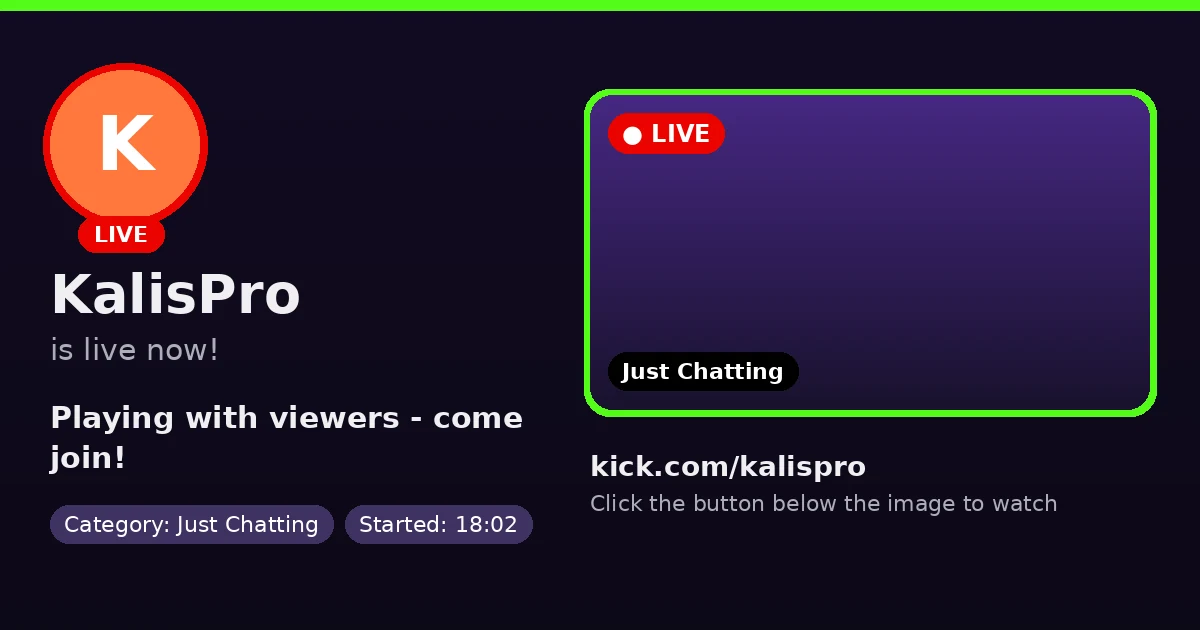
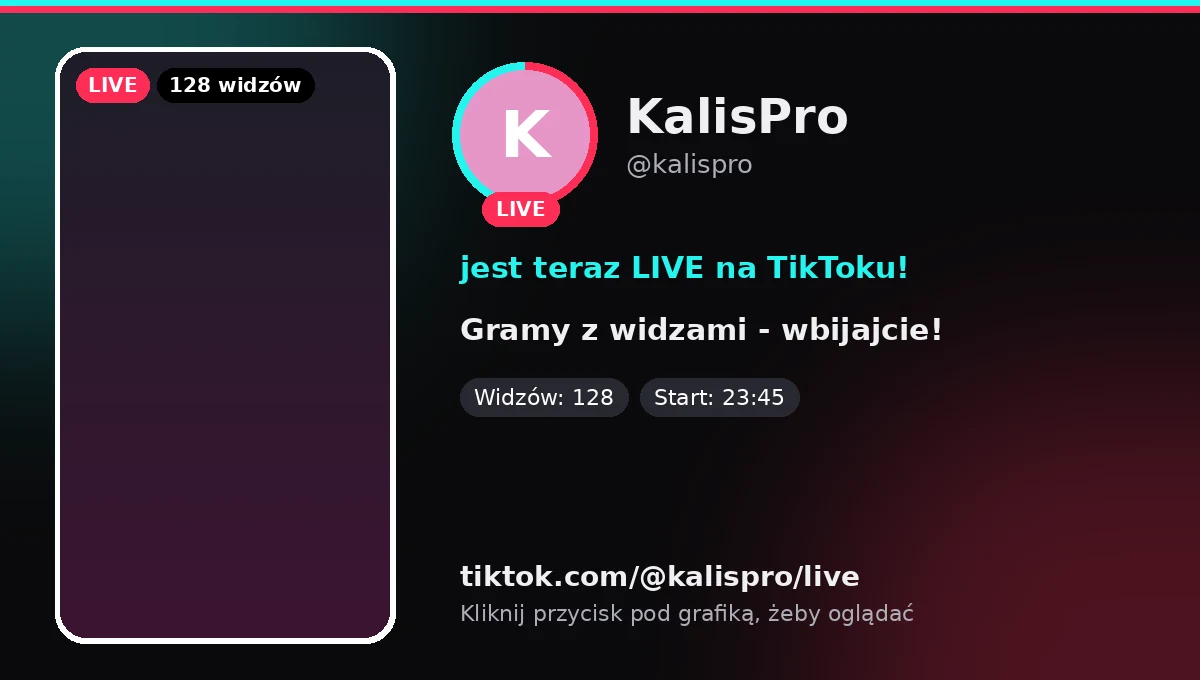
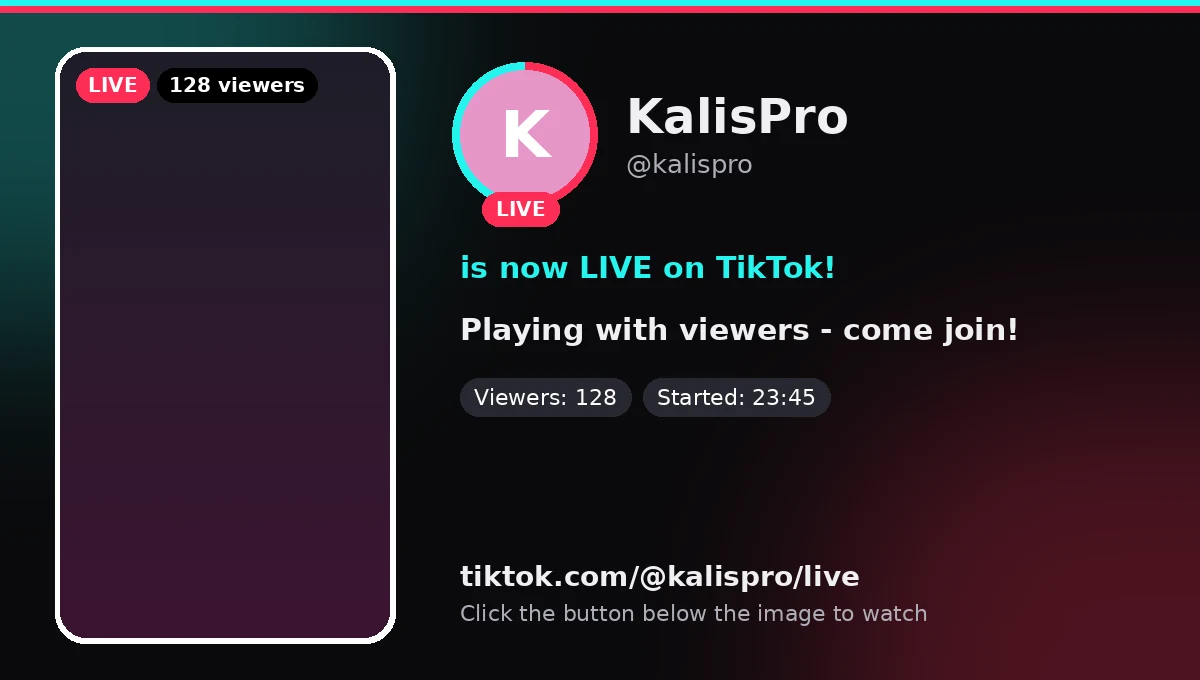
Gdy ruszasz ze streamem, bot wysyła grafikę z twoim awatarem, klatką ze streamu, tytułem i kategorią. Pod nią jest przycisk prowadzący prosto na transmisję.When you go live the bot posts a graphic with your avatar, a frame from the stream, the title and the category. A button underneath leads straight to the broadcast.

  • Twitch
  • TikTok
  • Kick

Po streamie zostaje podsumowanieA summary stays after the stream

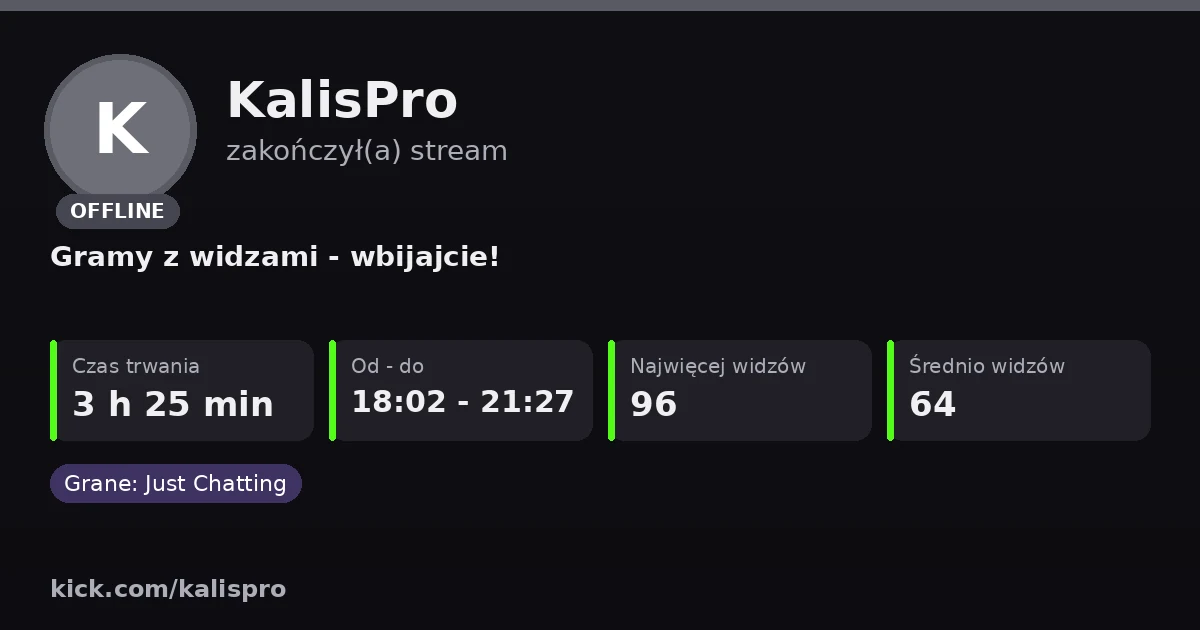
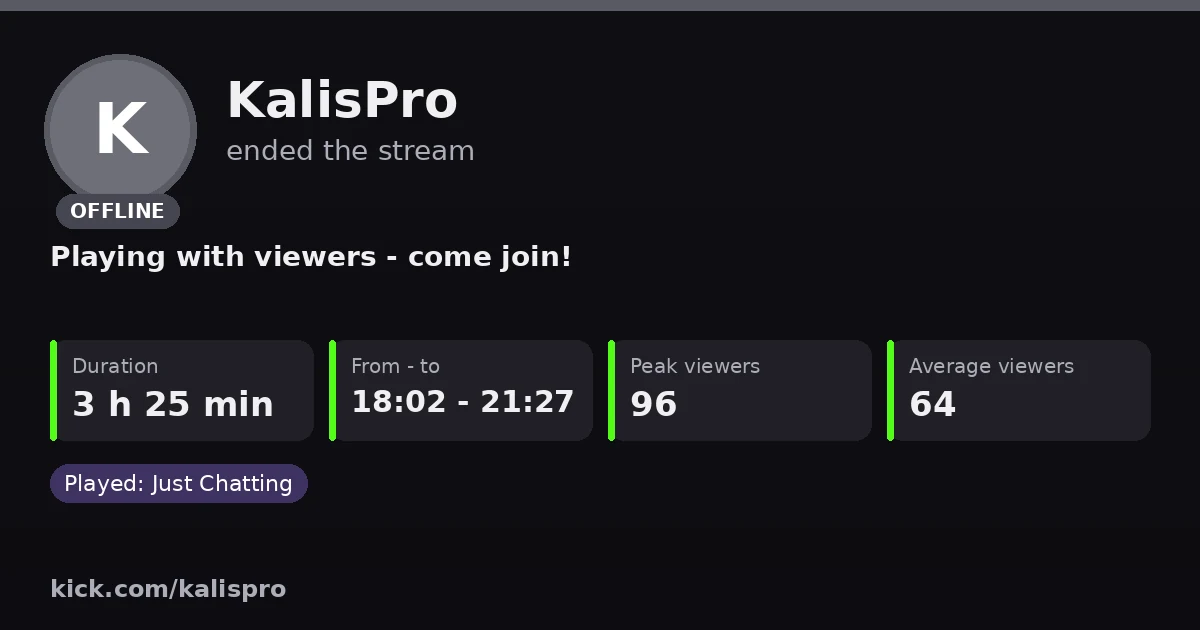
To samo powiadomienie zamienia się na OFFLINE: czas trwania, godziny od do, najwyższa i średnia liczba widzów oraz grane kategorie.The same alert turns into OFFLINE: duration, start and end time, peak and average viewers, and the categories you played.

Plan tygodnia, który sam się aktualizujeA weekly schedule that updates itself

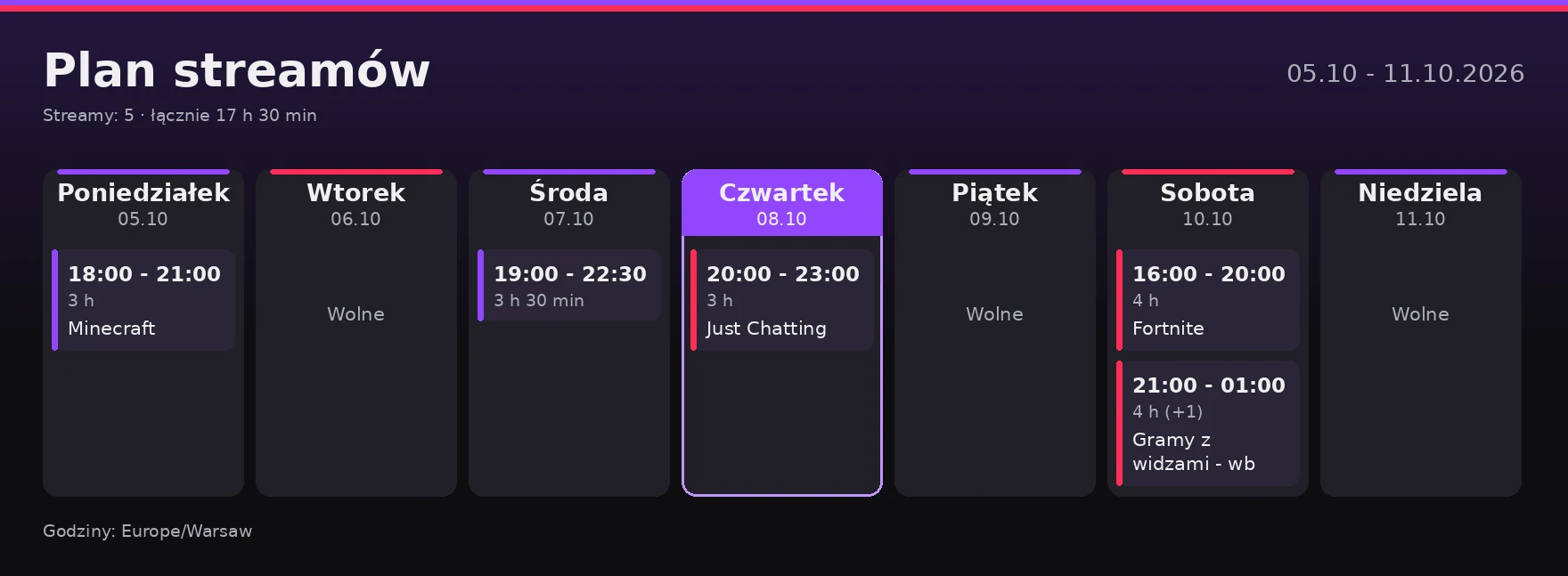
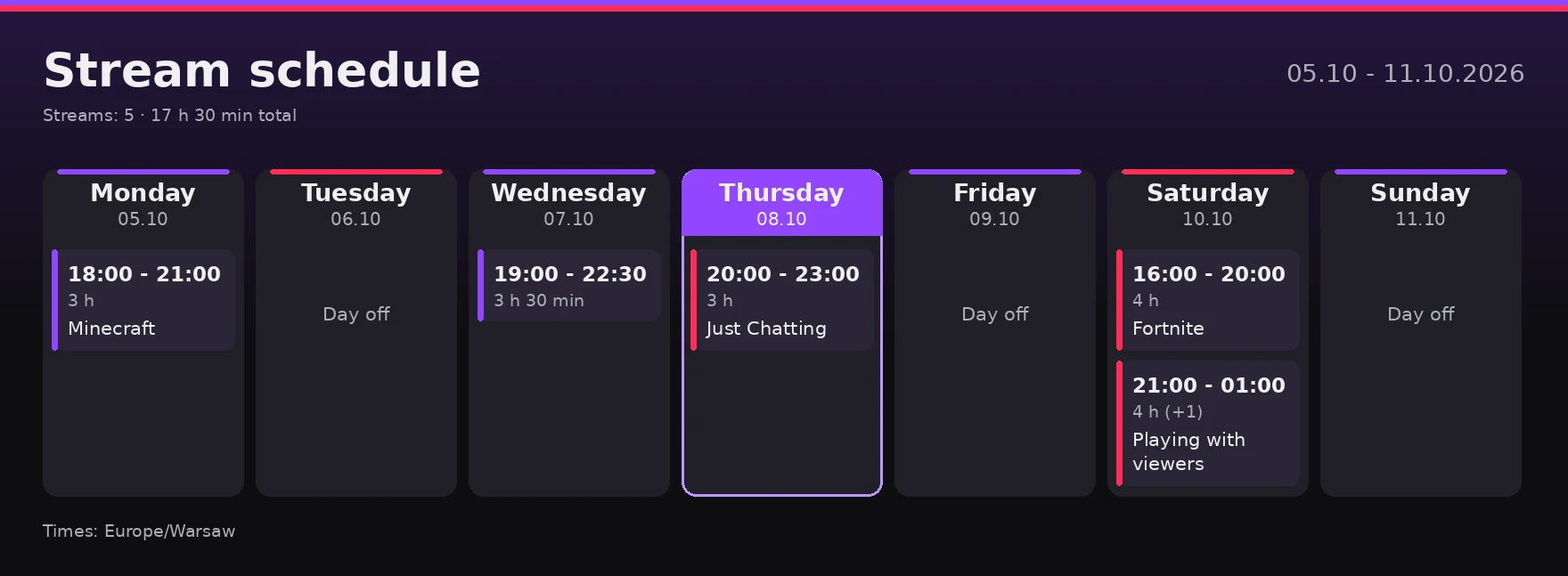
Wpisujesz streamy, a bot rysuje grafikę planu i publikuje ją na kanale. Codziennie podświetla dzisiejszy dzień, a przed każdym streamem może oznaczyć rolę, od 15 minut do 6 godzin wcześniej.Enter your streams and the bot draws the schedule graphic and posts it. Each day it highlights today, and before every stream it can mention a role, from 15 minutes to 6 hours ahead.

Klipy i nowe filmyClips and new videos

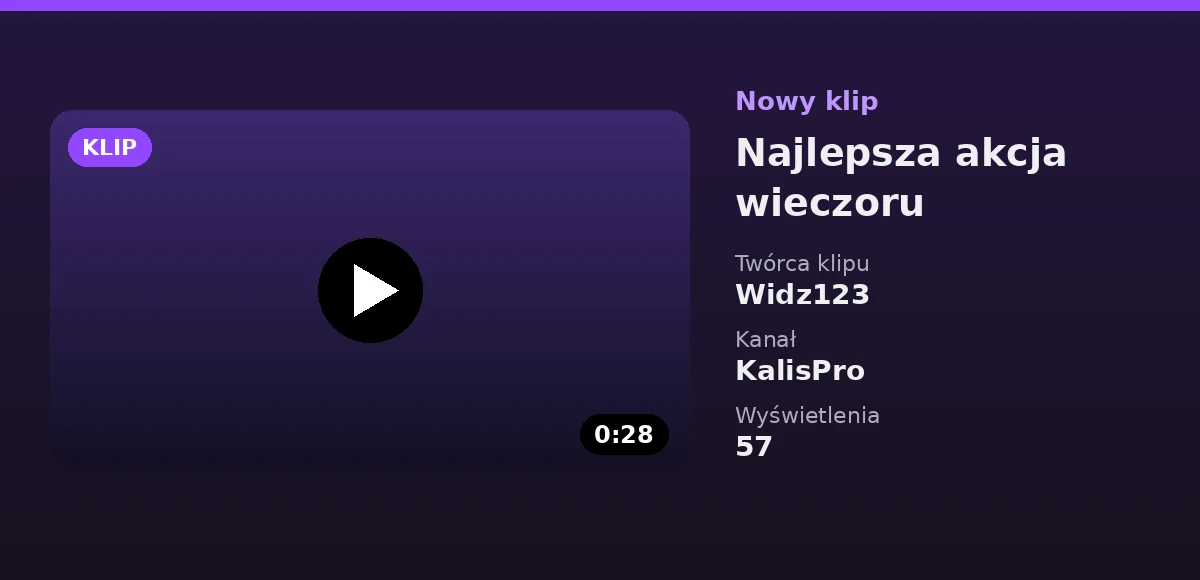
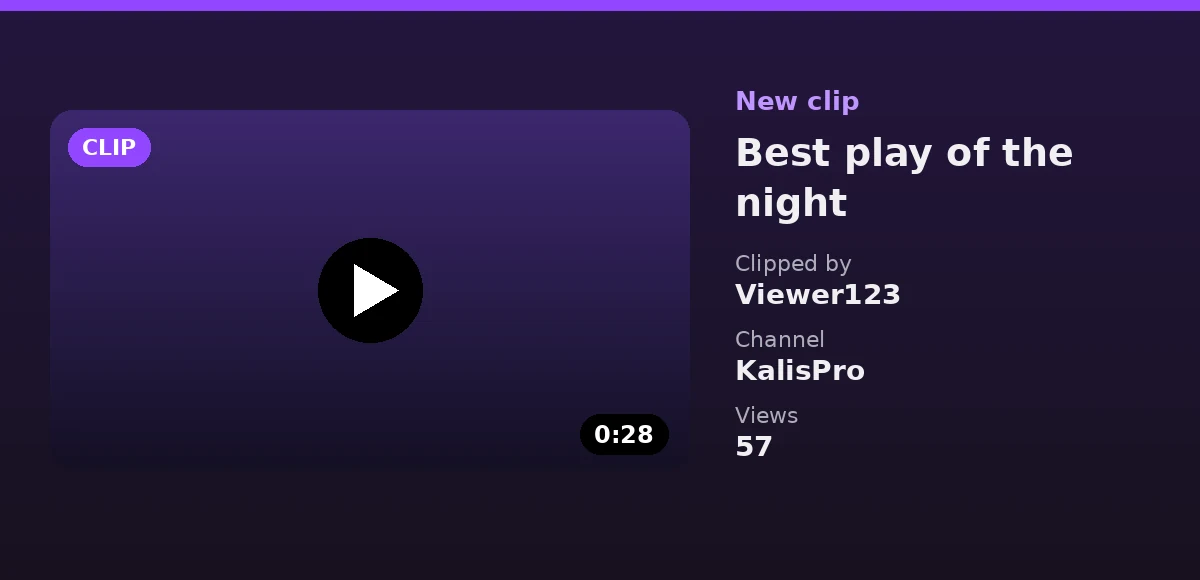
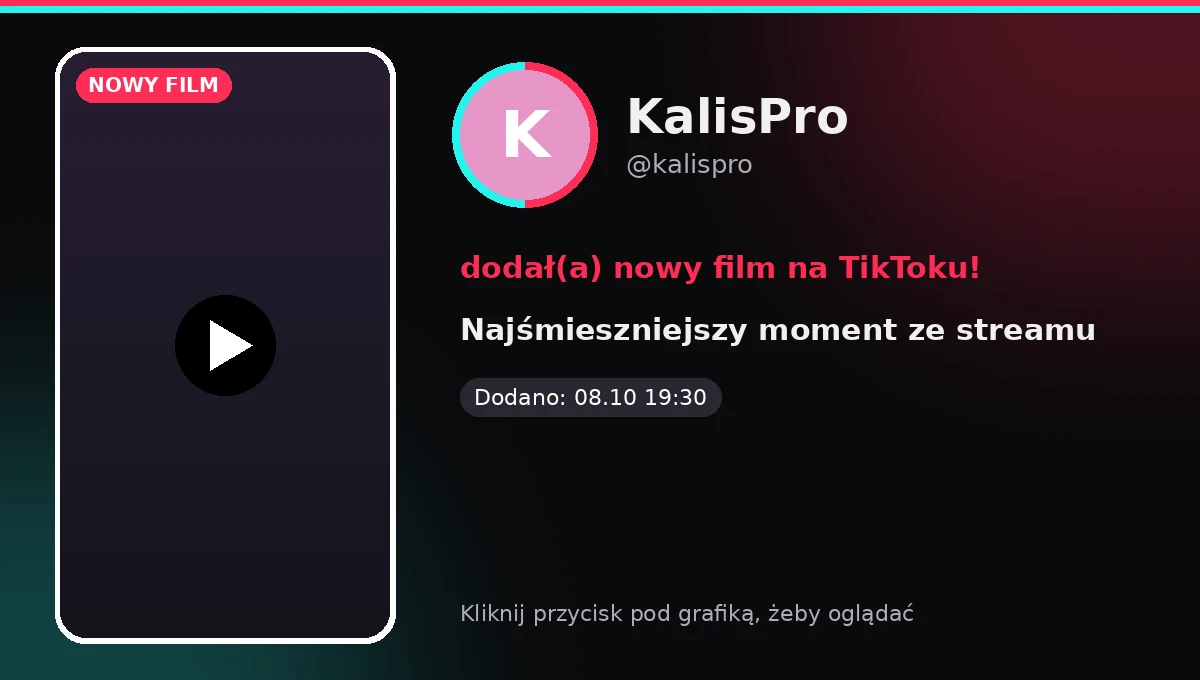
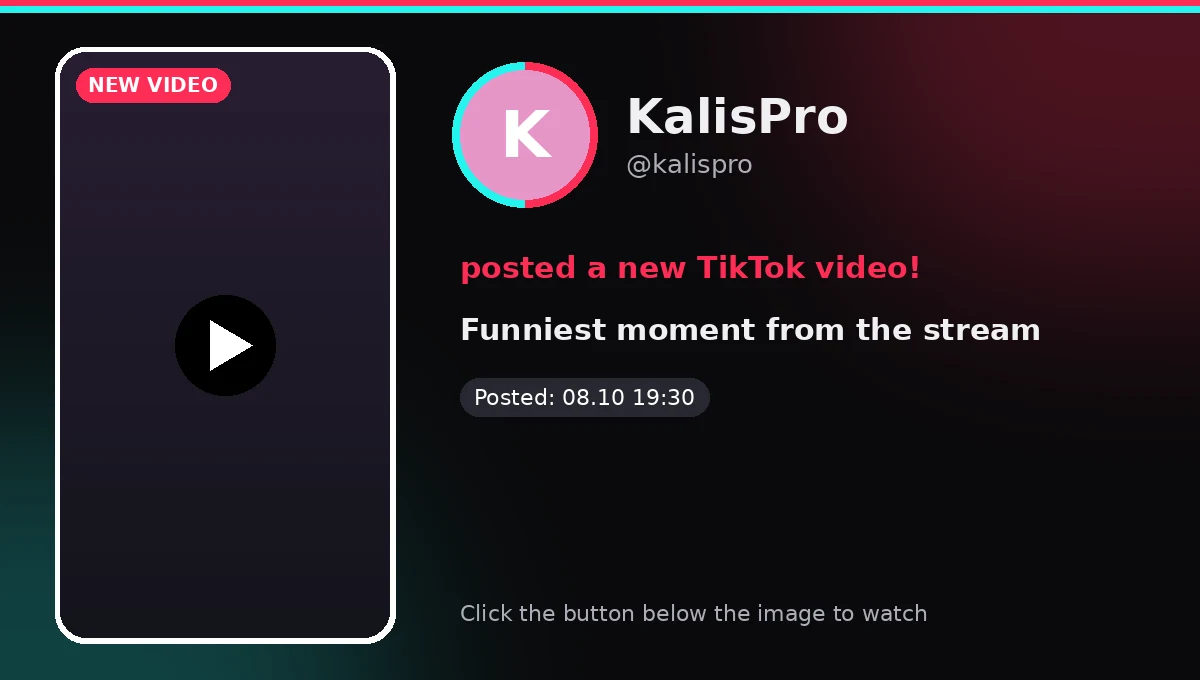
Nowe klipy z Twitcha i nowe filmy z TikToka trafiają na wybrany kanał same, z miniaturą, tytułem i liczbą wyświetleń.New Twitch clips and new TikTok videos land in your chosen channel by themselves, with a thumbnail, title and view count.

Darmowe gryFree games

Tylko pełne gry do zatrzymania na koncie. Wybierasz platformy, a link prowadzi prosto do gry w sklepie.Only full games you keep. You pick the platforms and the link leads straight to the game in its store.

Promocje bez spamuDeals without the spam

Ustawiasz próg ceny i popularność gier. Bot wysyła tylko najtańszą ofertę danej gry i nie powtarza jej, dopóki wyraźnie nie stanieje.Set a price limit and how popular games must be. The bot posts only the cheapest offer for a game and does not repeat it unless it clearly gets cheaper.

  • PLN
  • EUR
  • GBP

Podsumowania tygodnia i miesiącaWeekly and monthly summaries

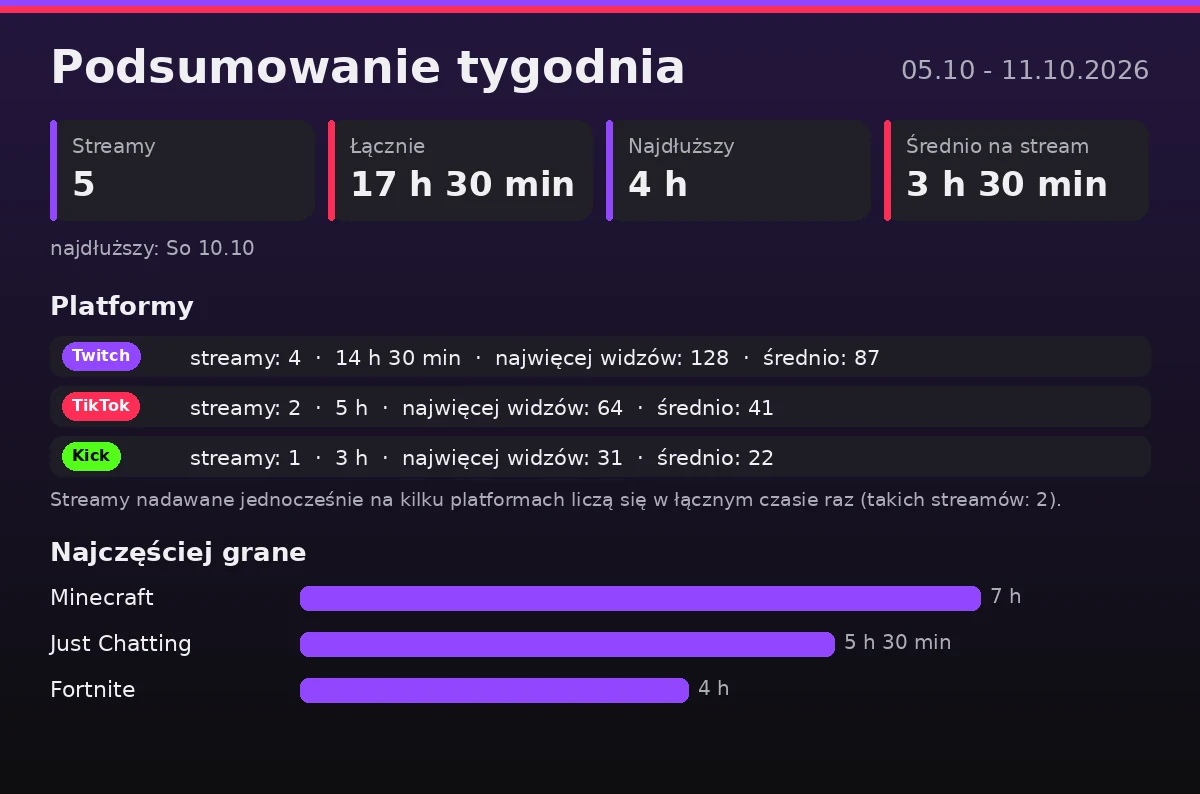
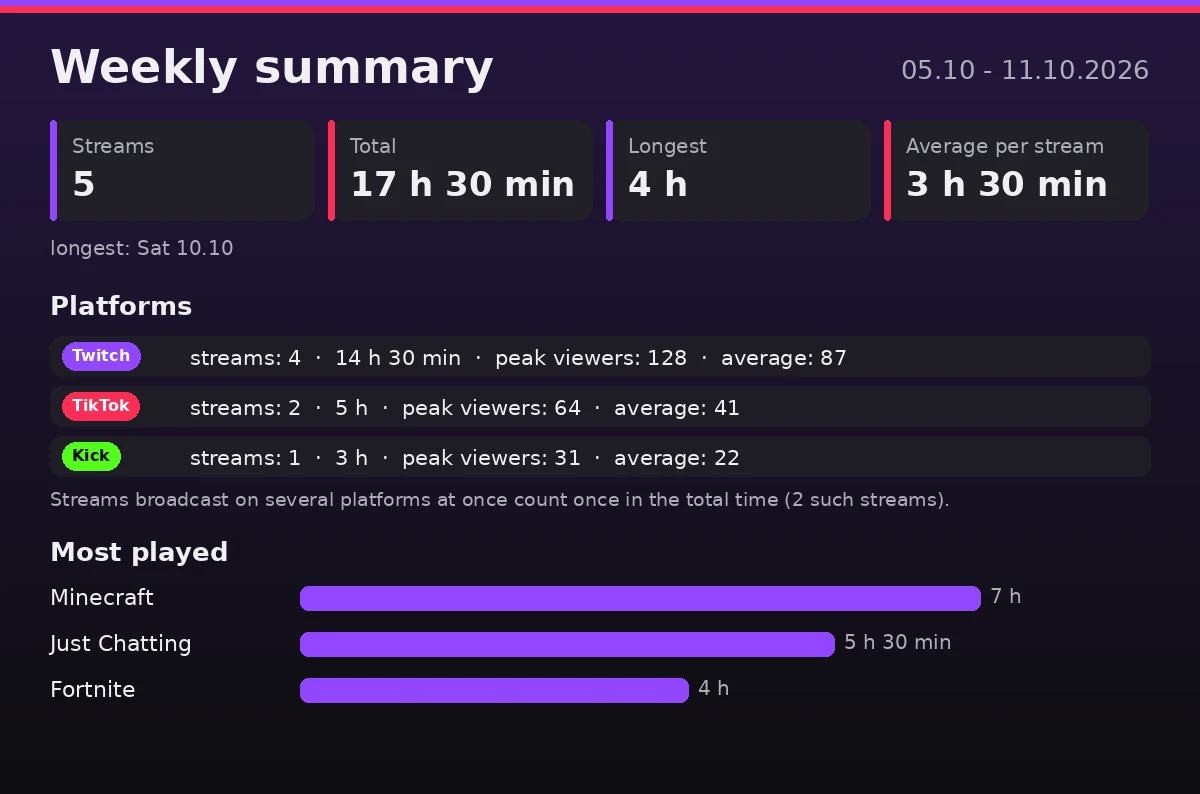
W poniedziałek i pierwszego dnia miesiąca bot publikuje grafikę: liczba streamów, łączny czas, widzowie i najczęściej grane kategorie.On Mondays and on the first of the month the bot posts a graphic: number of streams, total time, viewers and your most played categories.

Sam sprawdza uprawnieniaChecks its own permissions

Komenda /check przechodzi po wszystkich ustawionych kanałach i rolach i mówi wprost, czego brakuje, zanim coś nie dojdzie.The /check command goes through every configured channel and role and tells you plainly what is missing before something fails to arrive.

Polski i angielski, podgląd przed publikacjąPolish and English, preview before posting

Język wiadomości ustawiasz dla serwera komendą /language. Każde powiadomienie możesz obejrzeć komendą show, zanim zobaczą je widzowie.Set the message language per server with /language. You can preview every alert with the show command before your viewers see it.

Tak to wygląda na DiscordzieThis is how it looks in Discord

To prawdziwe grafiki wygenerowane przez bota, z przykładowymi danymi. Bot wysyła je po polsku albo po angielsku, zależnie od ustawienia serwera.These are real graphics generated by the bot, with sample data. The bot sends them in Polish or English, depending on your server setting.

Ustawiasz komendami albo w paneluSet up with commands or the dashboard

Wpisujesz ukośnik na Discordzie, a bot podpowiada parametry. Te same ustawienia zmienisz w panelu na stronie. Komendy i panel widzą tylko osoby z uprawnieniem Zarządzanie serwerem.Type a slash in Discord and the bot suggests the parameters. You can change the same settings in the web dashboard. Only people with the Manage Server permission see the commands and the dashboard.

przykładexample: /twitch add login:twojkanal live_channel:#streamy clips_channel:#klipy ping_role:@Widzowie
/twitch addKanał Twitch, kanał powiadomień, klipy i rola do oznaczania.Twitch channel, alert channel, clips and the role to mention.
/tiktok addProfil TikTok: powiadomienia LIVE i nowe filmy.TikTok profile: live alerts and new videos.
/kick addKanał Kick z powiadomieniem LIVE i OFFLINE.Kick channel with LIVE and OFFLINE alerts.
/schedule addStream w planie tygodnia: dzień lub data, godziny i tytuł.A stream in the weekly schedule: day or date, hours and title.
/schedule postPublikuje grafikę planu i ustawia ping przed streamem.Posts the schedule graphic and sets the ping before each stream.
/deals freeKanał na darmowe gry i wybór platform.Channel for free games and the platforms to follow.
/deals promoPromocje: próg ceny, popularność i sklepy.Deals: price limit, popularity and stores.
/summary setupAutomatyczne podsumowania tygodnia i miesiąca.Automatic weekly and monthly summaries.
/checkSprawdza uprawnienia bota na ustawionych kanałach.Checks the bot's permissions on configured channels.
/languageJęzyk wiadomości bota: polski albo angielski.The bot's message language: Polish or English.
Start w trzech krokachUp and running in three steps

  1. Dodaj botaAdd the botKliknij przycisk, wybierz serwer i zatwierdź uprawnienia.Click the button, pick your server and approve the permissions.
  2. Ustaw w panelu albo komendąSet it up in the dashboard or with a commandZaloguj się przez Discorda w panelu i wybierz kanały z listy. Wolisz Discorda? WpiszLog in with Discord in the dashboard and pick channels from a list. Prefer Discord? Type /twitch add, /tiktok add alboor /kick add.
  3. Sprawdź i gotoweCheck and you are donePrzegląd w panelu albo komendaThe dashboard overview or the /check potwierdzi, że bot ma wszystkie uprawnienia.command confirms the bot has every permission it needs.

Częste pytaniaCommon questions

Czy DoggyGuard jest darmowy?Is DoggyGuard free?

Tak. Bot jest darmowy dla każdego streamera, bez abonamentu i bez płatnych funkcji.Yes. The bot is free for every streamer, with no subscription and no paid features.

Jak skonfigurować bota?How do I set up the bot?

Dodajesz go na serwer przyciskiem na tej stronie, a potem ustawiasz wszystko komendami slash na Discordzie, na przykład /twitch add, /schedule add albo /deals free, albo w panelu na panel.kalispro.uk po zalogowaniu przez Discorda. Komendy i panel wymagają uprawnienia Zarządzanie serwerem.Add it to your server with the button on this page, then set everything with slash commands in Discord, for example /twitch add, /schedule add or /deals free, or in the dashboard at panel.kalispro.uk after logging in with Discord. The commands and the dashboard need the Manage Server permission.

Jakie platformy obsługuje?Which platforms does it support?

Twitch, TikTok i Kick. Dla każdej możesz ustawić osobny kanał Discord i osobną rolę do oznaczania.Twitch, TikTok and Kick. Each one can have its own Discord channel and its own role to mention.

Jakich uprawnień potrzebuje bot?What permissions does the bot need?

Wyświetlanie kanałów, wysyłanie wiadomości, osadzanie linków, załączanie plików i czytanie historii wiadomości. Nie prosi o uprawnienia administratora. Komenda /check pokaże, czy czegoś brakuje.View channels, send messages, embed links, attach files and read message history. It does not ask for administrator permissions. The /check command shows if anything is missing.

Czy bot oznacza @everyone?Does the bot ping @everyone?

Nie. Sam wybierasz rolę, którą bot oznacza przy starcie streama. Przy darmowych grach i promocjach rola jest oznaczana najwyżej raz na 12 godzin, a przerwę możesz zmienić.No. You choose the role it mentions when a stream starts. For free games and deals the role is mentioned at most once every 12 hours, and you can change that gap.

Skąd bot bierze promocje i darmowe gry?Where do deals and free games come from?

Z oficjalnych sklepów, między innymi Steam, Epic Games Store, GOG, Ubisoft i EA. Darmowe gry to tylko pełne gry do zatrzymania na koncie, bez DLC, dem i darmowych weekendów.From official stores including Steam, Epic Games Store, GOG, Ubisoft and EA. Free games are full games you keep, with no DLC, demos or free weekends.

Czy bot mówi po angielsku?Does the bot speak English?

Tak. Komendą /language wybierasz język wiadomości bota na serwerze: polski albo angielski.Yes. The /language command sets the bot's message language for your server: Polish or English.

Gdzie szukać pomocy?Where can I get help?

Na oficjalnym serwerze Discord DoggyGuard Support. Możesz tam zadać pytanie, zgłosić błąd albo zaproponować nową funkcję.On the official DoggyGuard Support Discord server. Ask a question, report a bug or suggest a new feature there.

DoggyGuard jest darmowyDoggyGuard is free

Dla małych i dużych streamerów. Jeśli bot ci pomaga, możesz postawić mi kawę.For streamers small and large. If the bot helps you, you can buy me a coffee.